Articles
How Vector Graphics Helps in Game Development
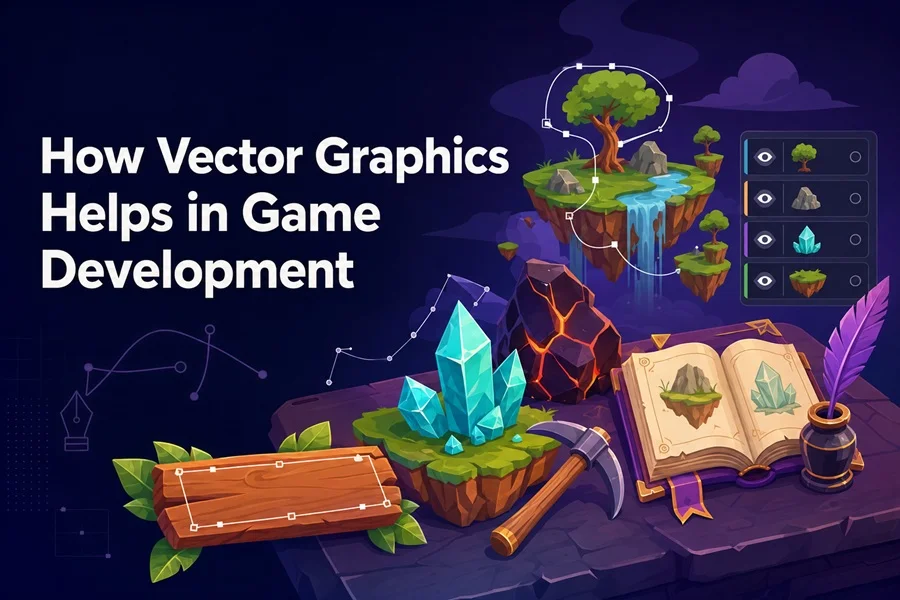
From scalable environments and reusable props to clear interfaces and production-ready asset libraries
Vector graphics gives game teams a flexible visual system: assets stay editable, scale cleanly, share a consistent style, and can be adapted across environments, interfaces, promotions, and multiple screen sizes.
Why Vector Graphics Fits Modern Game Production
Game development is built around iteration. A character may change proportions after playtesting, an interface may need larger buttons for mobile devices, or an environment may require a new color scheme late in production. Vector graphics supports this reality because shapes, lines, colors, and effects remain independently editable. Instead of repainting an asset from the beginning, an artist can adjust its structure and generate a revised version quickly.
This flexibility is valuable far beyond logos and icons. Vector assets can form complete visual systems for casual games, mobile titles, browser games, educational projects, puzzles, strategy games, card games, and stylized 2D adventures. Environments, props, collectibles, menus, badges, maps, decorative frames, and promotional illustrations can all begin as vector artwork. The same source file can then produce the formats and resolutions required by the project.
Vector does not need to replace every other technique. Painted textures, 3D models, pixel art, and raster effects each have their place. Its strength is as a dependable production foundation: easy to organize, easy to revise, and well suited to asset families where visual consistency matters.
Clean Scaling for Different Screens and Platforms
A game may appear on a small phone, a tablet, a desktop monitor, a web page, or a high-resolution promotional banner. Raster artwork has a fixed pixel structure, so enlarging a small image can expose blurred edges and visible pixels. Vector artwork is defined mathematically, allowing it to be resized without losing the clarity of its shapes.
This is especially useful for interface elements, icons, badges, resource counters, store graphics, and other assets that appear at several sizes. A designer can maintain one master version and export compact files for gameplay, larger versions for storefronts, and high-resolution images for marketing. The result is fewer redundant source files and less time spent rebuilding the same object.
Scaling is not entirely automatic, however. Very thin strokes, tiny gaps, and complex details may become unreadable at small sizes. Good game assets are designed with size variants in mind. The master vector makes those controlled simplifications faster: details can be removed, silhouettes strengthened, and line weights adjusted without destroying the original.
Modular Environments Built from Reusable Pieces
Many 2D games create large worlds from relatively small libraries of modular components. Flying ground islands are a clear example. A few land shapes, cliffs, trees, stones, ponds, grass clusters, and waterfalls can be rearranged into numerous levels. Artists can recolor the terrain, change the vegetation, or combine elements to suggest different regions while keeping the entire world visually coherent.
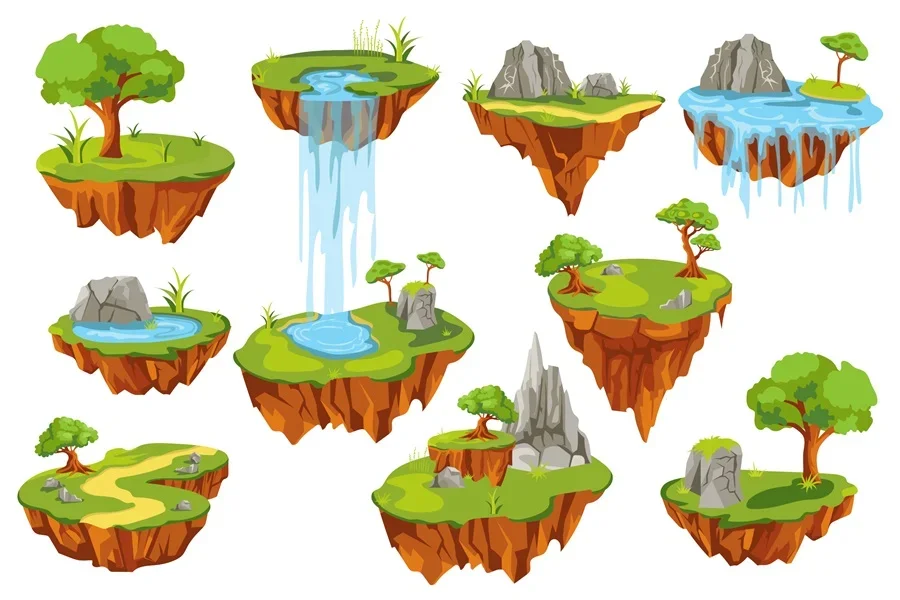
Modular floating islands demonstrate how a small vector asset family can support many environment and level variations.
Vector source files make this system easy to expand. A designer can reshape an island, extend a waterfall, swap a tree, or create a damaged version while preserving the established palette and outline style. Because elements remain separate, level designers also gain more freedom to assemble scenes rather than waiting for a completely new illustration for every location.
This approach works for forests, villages, farms, caves, deserts, snowfields, and science-fiction interiors. It also helps teams create parallax backgrounds: foreground, middle-ground, and distant elements can be exported as separate layers and moved at different speeds inside the engine to create depth.
Consistent Props Strengthen the Game World
Props communicate what a player can collect, use, avoid, or interact with. Mining tools, crystal carts, barrels, lanterns, rocks, and cave entrances do more than decorate a screen — they explain the world and support game mechanics. When these assets share the same proportions, lighting, color logic, and level of detail, the player understands them as parts of one system.
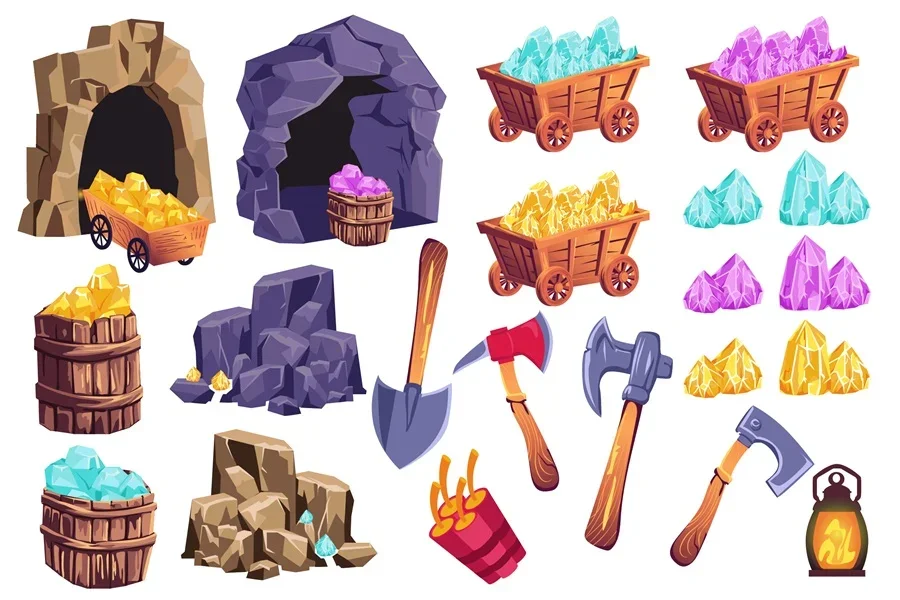
A coordinated mining asset set can supply tools, resources, containers, cave entrances, and collectible variations for one game theme.
Vector construction is ideal for creating such families. One crystal design can be recolored into several resources. A cart can receive different loads. A tool can gain upgraded metal, a stronger handle, or a glowing effect. These variations give players visible progress without requiring a completely unrelated asset for every upgrade level.
The same efficiency applies to hazards and biome-specific objects. A group of dark rocks with lava can become an entire volcanic visual language when orange cracks, molten edges, and lava flows are added consistently. Large formations may define the environment, while smaller rocks can serve as obstacles, projectiles, resource nodes, or decorative fillers.
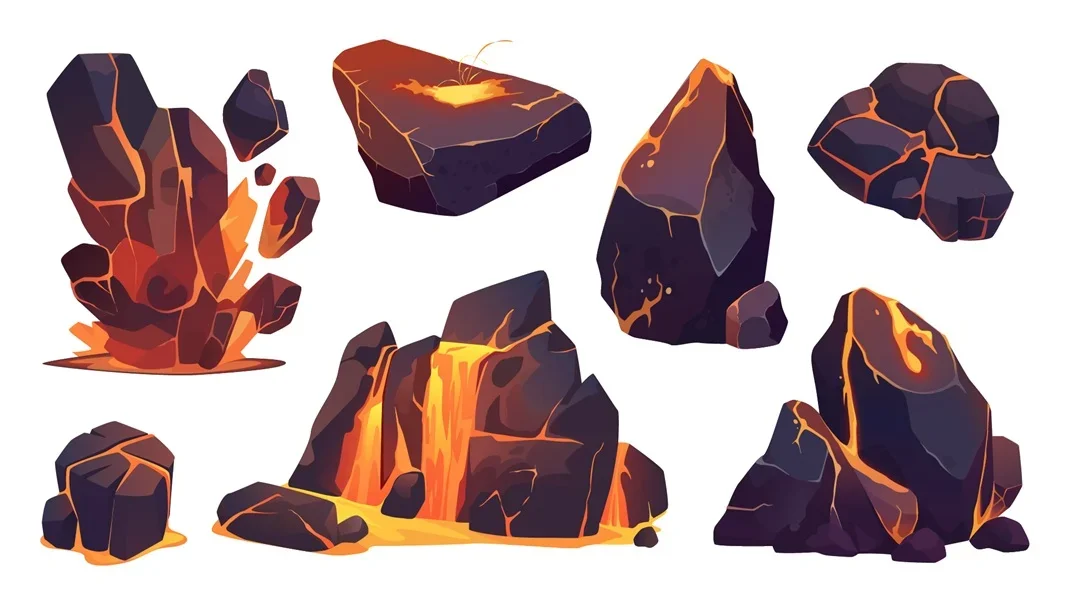
Lava rocks show how shape and color variations create hazards, terrain features, obstacles, and environmental storytelling.
Reusable does not have to mean repetitive. Rotation, mirroring, scale changes, color variations, overlays, and combinations can produce variety. The key is to build a flexible kit whose parts look intentional when used together.
Faster Interface Design and Clearer Player Feedback
The game interface is where the player meets the game system. Buttons, menus, shops, level panels, counters, reward screens, and settings must be readable immediately. Vector graphics helps designers create these components from repeatable shapes and styles. Corner radii, borders, shadows, labels, and decorative elements can be updated across a family without redrawing each screen.
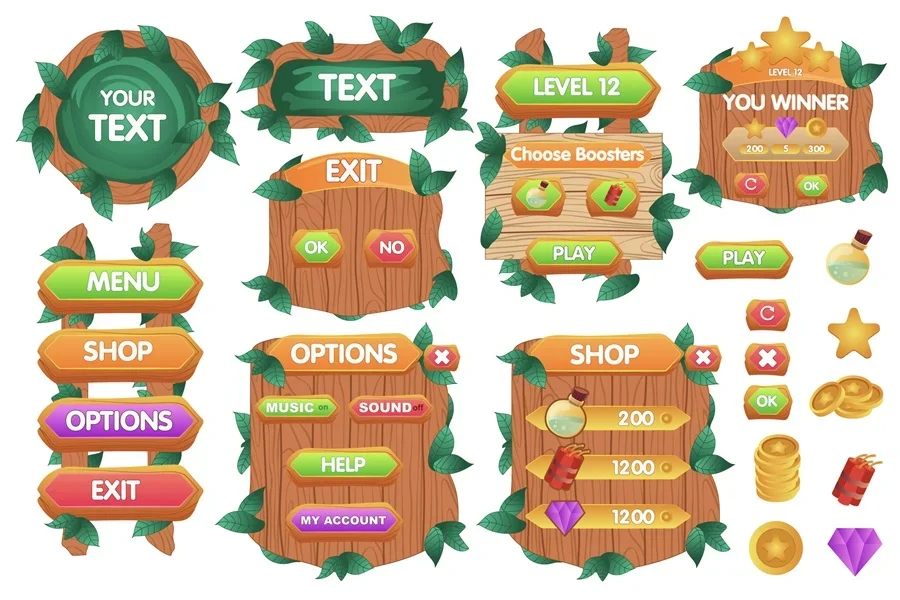
A themed interface kit keeps menus, buttons, reward panels, currency icons, and shop elements visually connected.
A strong UI kit also improves production speed. Instead of designing every popup independently, the team establishes a set of components: primary and secondary buttons, panels, close controls, tabs, currency displays, progress indicators, and status icons. These pieces can be recombined for new screens while retaining familiar interaction patterns.
Vectors are particularly helpful during localization. Translated labels may be longer or shorter than the original text. Editable button and panel shapes can be widened without stretching their texture unnaturally. The designer can also create text-free exports, leaving the engine to render live text for different languages.
Readability must remain the priority. Decorative leaves, wood grain, or fantasy ornaments should support the theme but never compete with labels and controls. Testing assets at their actual gameplay size is essential, even when the source artwork looks perfect at high magnification.
Narrative Assets Without Rebuilding the Style
Games often need story objects that sit between scenery and interface: books, letters, maps, scrolls, journals, quest documents, and magic books. These assets can introduce lore, mark objectives, represent skills, or appear as inventory items. A coordinated vector collection allows the team to create many narrative moments while keeping the same visual identity.

Books, scrolls, letters, quills, and manuscripts can support quests, inventory systems, lore screens, and fantasy storytelling.
Because the artwork remains editable, the same book can have closed, open, damaged, glowing, or upgraded versions. Scrolls can be shortened for icons or expanded into full quest panels. Colors and symbols can identify different schools of magic, factions, rarity levels, or story chapters. This reuse saves time while making the game feel more deliberately designed.
Flexible Labels, Signs, and Decorative Frames
Simple objects often become some of the most reusable assets in a game. Wooden banners can hold location names, tutorials, shop categories, level numbers, warnings, dialogue choices, or achievement messages. By building several silhouettes in one visual style, the designer creates a library that can solve dozens of layout needs.
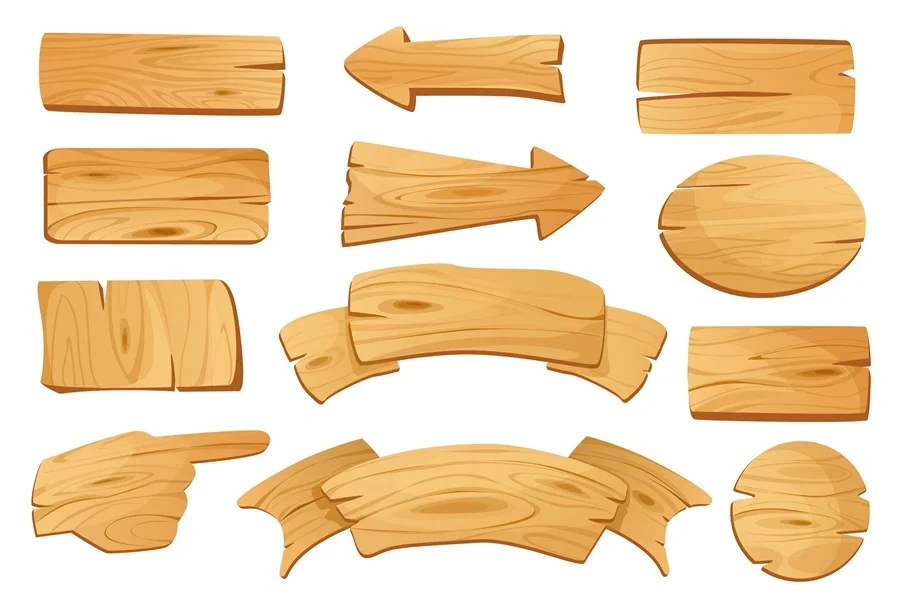
Editable wooden banners and arrows can become signs, labels, buttons, navigation markers, and title frames.
The advantage of vector source files becomes obvious when text changes. A banner can be lengthened, an arrow reversed, or a board reshaped while its grain and edge treatment remain consistent. Designers can also prepare empty versions for dynamic text and create highlighted, disabled, selected, or locked states from the same base component.
Easier Color Variations and Art Direction Changes
Color changes are common throughout development. Early prototypes may use temporary palettes, accessibility testing may reveal contrast problems, or the game may introduce night modes, seasonal events, rare items, and alternate biomes. In vector files, colors can be managed through swatches and global adjustments, making broad revisions much faster than editing every object pixel by pixel.
A controlled palette also helps multiple artists contribute to one project. When the team agrees on base colors, shadows, highlights, outlines, and effect rules, newly created assets are easier to integrate. Vector libraries can include reference objects and reusable style samples so that each addition begins from the same visual foundation.
Efficient Animation Preparation
Vector artwork can be separated into logical parts before animation: a character’s head, torso, hands, tools, facial features, or pieces of machinery. These parts may be exported for bone-based animation, frame-by-frame sequences, motion graphics, or engine-specific animation systems. Clean shapes and named layers reduce confusion when files move from illustration to animation.
For props and interfaces, animation may be even simpler. Buttons can gain hover and pressed states, stars can pulse, crystals can glow, banners can bounce, and resource icons can spin. Starting from editable vector shapes makes it easier to produce consistent state changes and motion variants.
The artist should plan pivots, overlaps, and hidden areas early. An arm intended to rotate needs enough artwork beneath the shoulder; a lid that opens needs a separate back edge; a UI panel that stretches may require protected corners and repeatable center sections. Production-aware construction prevents costly repair later.
Better Collaboration and Asset Management
A well-organized vector library gives the entire team a reliable source of truth. Files can be grouped by environment, interface, character, prop, or effect. Layers and objects can use clear names, while approved colors and reusable components remain easy to find. This matters when a project grows from a small prototype into hundreds or thousands of assets.
Developers benefit as well. Predictable export names, sizes, padding, origins, and folder structures reduce mistakes during integration. Instead of receiving inconsistent images from multiple sources, the developer gets a controlled set of sprites or interface files based on documented rules.
Version control still requires discipline. Complex binary design files do not merge like code, so teams should define ownership, save milestones, and avoid simultaneous edits to the same master. Exported assets should be reproducible from the source rather than becoming untraceable one-off files.
Vector Source, Raster Output: Choosing the Right Format
One common misunderstanding is that vector artwork must stay vector inside the finished game. In practice, many teams create assets as vectors and export them as PNG, WebP, texture atlases, or engine-ready sprites. This workflow keeps the source flexible while giving the engine predictable raster files that render efficiently.
Native vector rendering can be useful for certain interfaces, maps, icons, and resolution-independent applications, but it is not automatically the best option for every game. Complex paths, gradients, masks, and effects may be expensive or behave differently between tools and engines. The correct choice depends on the target platform, engine, visual complexity, memory budget, and animation method.
The safest production principle is simple: preserve a clean vector master, then export deliberately for the game. Test the real output on target devices. Check edge quality, file size, texture memory, color, transparency, and performance before committing the entire asset library to one pipeline.
Practical Tips for a Production-Ready Vector Workflow
• Define the art direction first: palette, outlines, perspective, lighting, texture, and level of detail.
• Build modular families instead of isolated objects so assets can be recombined and extended.
• Use clear layer and object names, especially when files will be animated or handed to another team member.
• Keep strokes and effects predictable; expand or simplify them when the target engine or export format requires it.
• Design and test at the final gameplay size, not only at a comfortable zoom level.
• Prepare meaningful states and variants: normal, selected, pressed, disabled, locked, damaged, upgraded, or rare.
• Export assets with consistent dimensions, transparent padding, naming, pivots, and scale rules.
• Preserve editable master files and document the export settings used for production.
Conclusion
Vector graphics helps game creators work faster without sacrificing visual consistency. Its scalable shapes, editable components, and reusable style systems are well suited to environments, props, resources, narrative objects, interfaces, signs, and promotional graphics. A small, carefully designed asset family can produce many useful variations and continue growing with the game.
The greatest benefit is not simply sharp edges at any size. It is the ability to treat game art as a connected system. When assets share construction rules, colors, proportions, and export standards, artists can iterate more confidently, developers receive cleaner files, and players experience a world that feels unified. Used alongside raster painting, animation, and 3D tools, vector graphics becomes a practical foundation for efficient 2D game production.