Articles
10 Best Photoshop Photo Effects
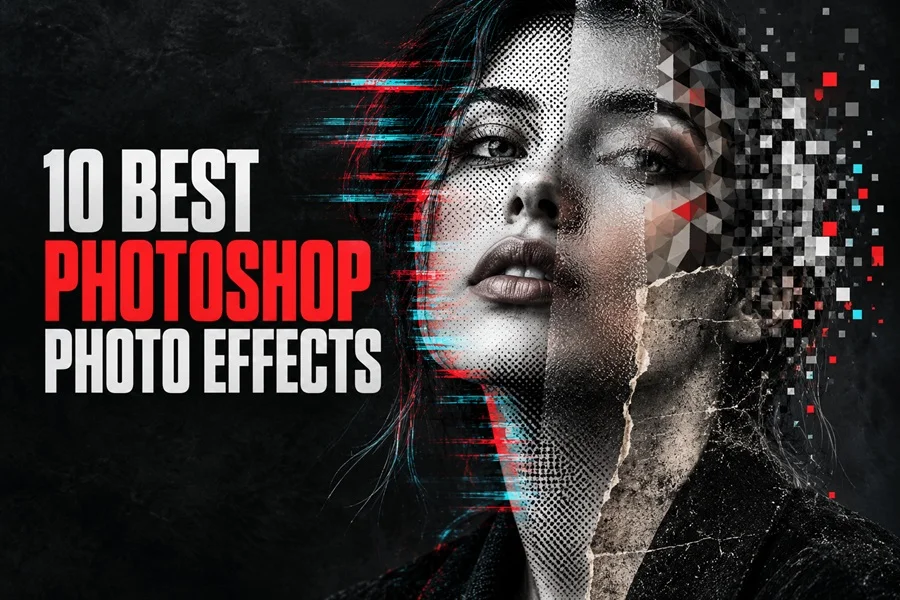
Creative effects for distinctive portraits posters and digital artwork
Photoshop photo effects can turn an ordinary image into a finished visual concept. They introduce texture, movement, print character, distortion, or atmosphere without requiring a completely new composition. The best effect depends on the mood of the project and on how clearly the original photograph supports the chosen style.
This selection presents ten versatile photo effects, ranging from distressed photocopy textures and vintage print treatments to digital glitches, glass distortion, mosaics, and pixel fragmentation. Each one creates a different visual language and can help designers produce stronger posters, album covers, editorial graphics, advertising images, and social media content.
For the strongest result, begin with a high-resolution photograph, keep the main subject clearly separated from the background, and choose an effect that reinforces the message rather than competing with it.
Bad Copy Photo Effect
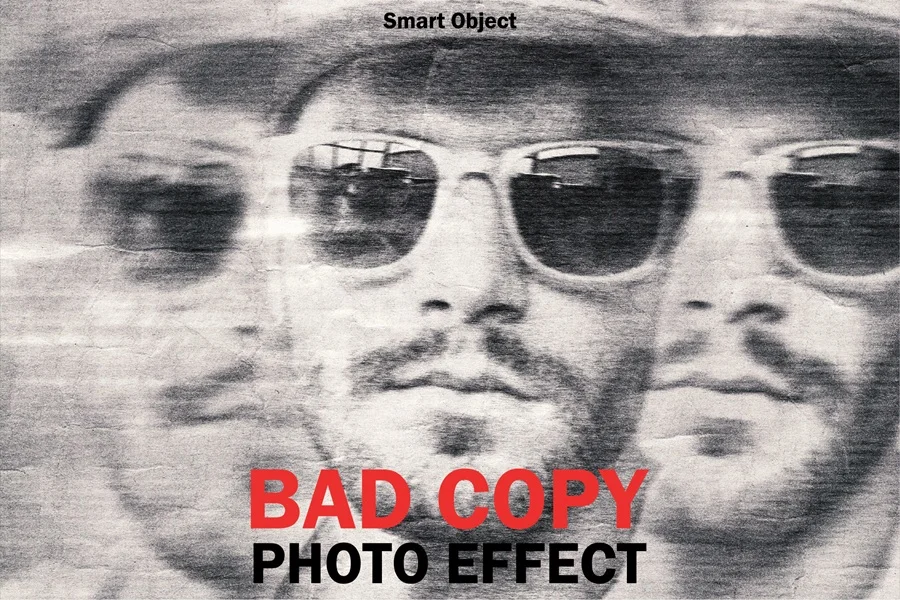
The Bad Copy Photo Effect recreates the rough character of an overused photocopier, combining repeated image fragments, uneven contrast, paper grain, and imperfect toner marks. It gives portraits and editorial images an intentionally raw, underground look that works especially well for music artwork, posters, zines, social media graphics, and experimental branding. The distorted duplication makes a simple photograph feel more energetic without hiding its main subject.
Download Bad Copy Photo Effect
Blur Photo Effect
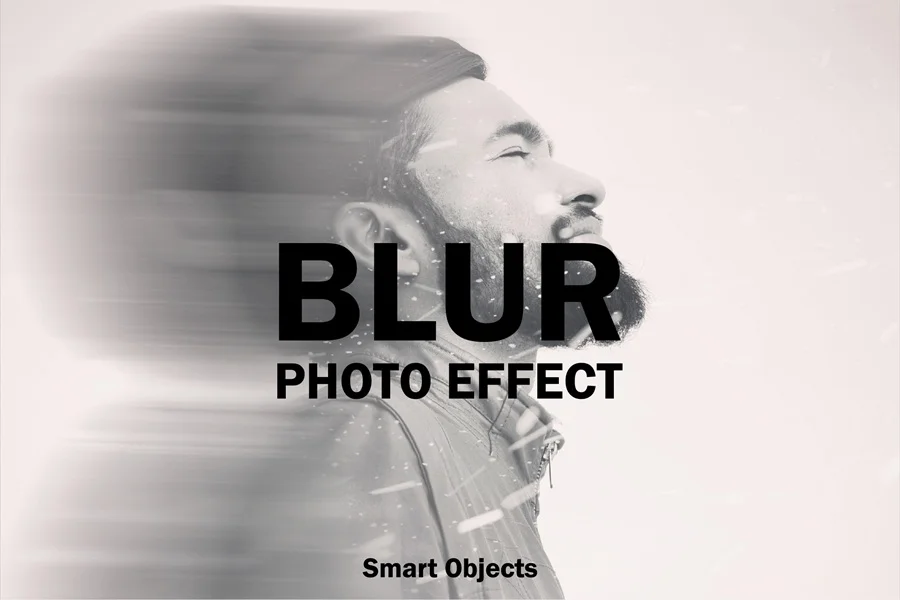
The Blur Photo Effect introduces directional movement and soft image trails while keeping the main subject recognizable. Its restrained monochrome treatment creates a sense of speed, memory, or transition, making it useful for fashion campaigns, album covers, contemporary posters, website banners, and social media content. This effect is strongest when applied to portraits with a clear silhouette and enough empty space for the motion to extend naturally.
Download Blur Photo Effect
Broken Glass Photo Effect
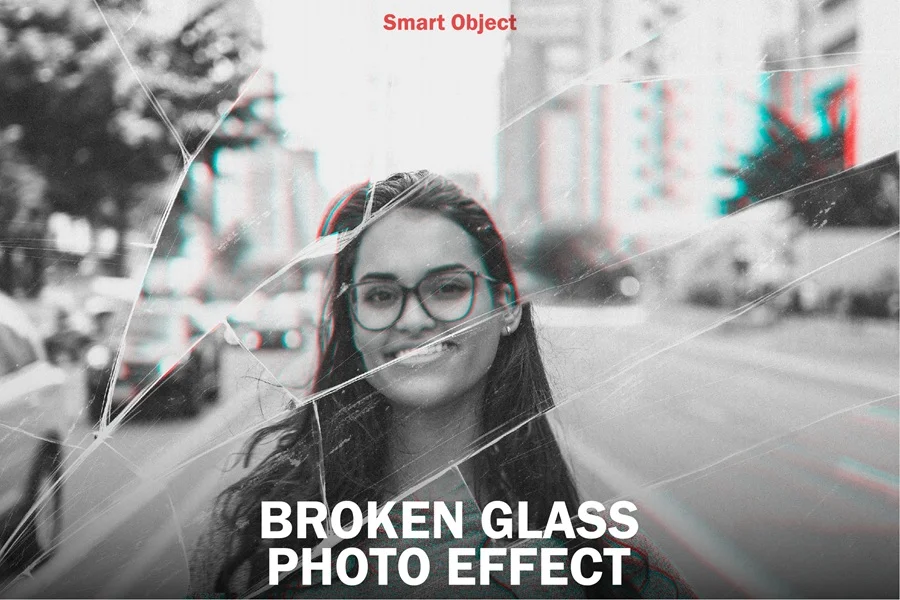
The Broken Glass Photo Effect places realistic cracks and fractured reflections over a photograph to create tension and visual impact. Subtle red and cyan color separation adds a modern cinematic edge, while the glass structure divides the composition into dramatic fragments. It is a strong choice for thriller artwork, music promotions, event posters, editorial layouts, and campaigns built around disruption, conflict, or transformation.
Download Broken Glass Photo Effect
Engraved Photo Effect
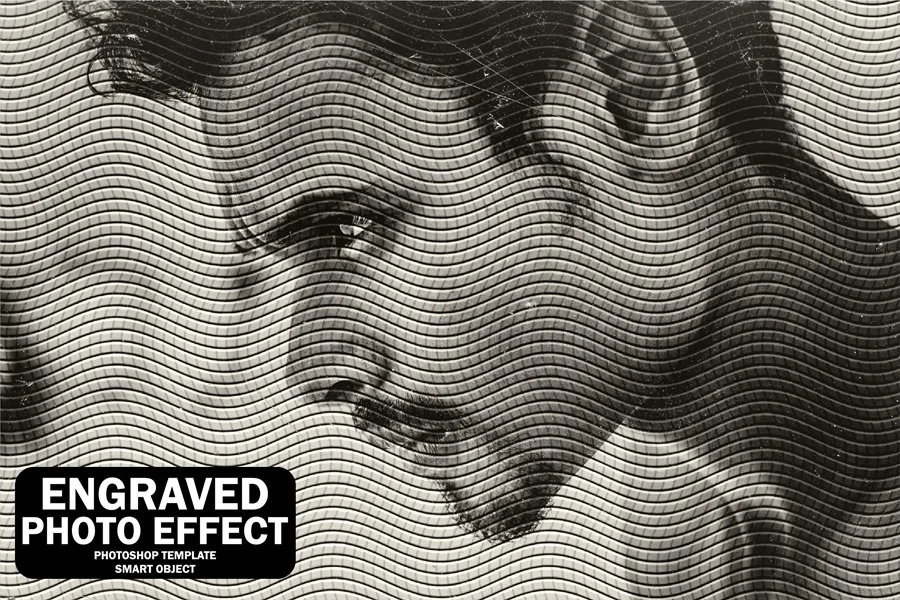
The Engraved Photo Effect transforms tonal detail into dense, flowing lines inspired by traditional banknote and printmaking techniques. The result feels handcrafted, historic, and highly graphic while preserving the recognizable form of the original image. It suits portraits, packaging, labels, certificates, editorial illustrations, and vintage identity projects. Photographs with clear lighting and strong facial detail usually produce the most convincing engraved result.
Download Engraved Photo Effect
Glass Photo Effect
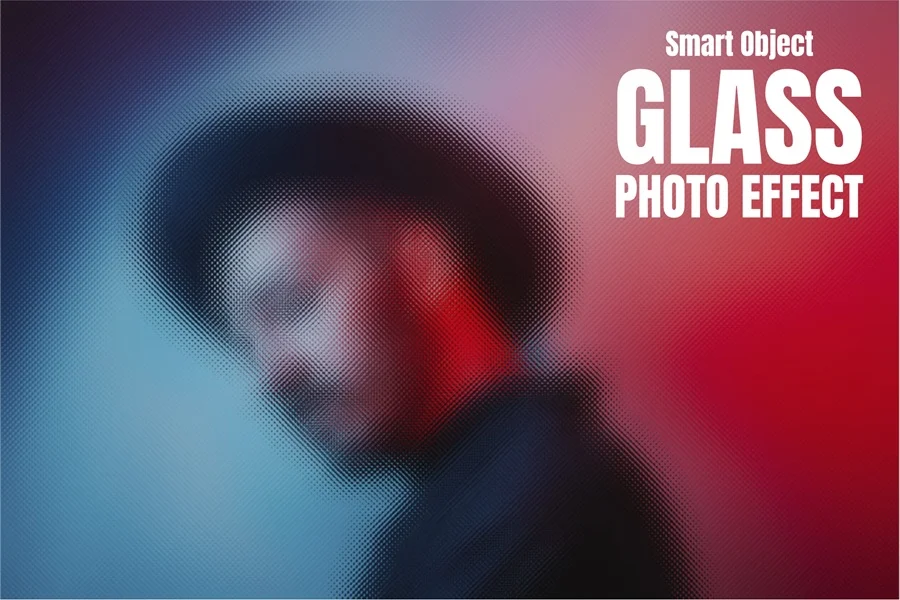
The Glass Photo Effect simulates a subject viewed through textured or frosted glass. Fine surface distortion softens facial detail and blends color transitions, producing an atmospheric image that feels both tactile and modern. The effect works beautifully for fashion photography, beauty campaigns, album artwork, abstract posters, and digital editorials. Bold lighting and contrasting colors help the silhouette remain visible through the patterned surface.
Download Glass Photo Effect
Glitch Photo Effect
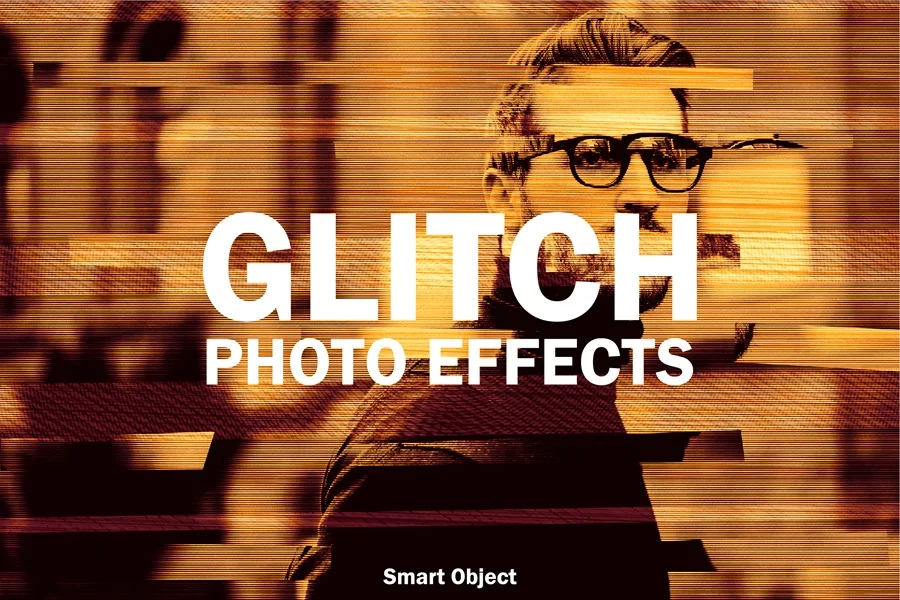
The Glitch Photo Effect uses horizontal displacement, scan lines, interrupted image bands, and warm digital noise to imitate a damaged video signal. It instantly adds movement and technological tension to an otherwise static photograph. This style is ideal for electronic music artwork, gaming graphics, futuristic advertising, event posters, and social media promotions. A centered portrait or clearly defined subject gives the fragmented sections a strong visual anchor.
Download Glitch Photo Effect
Halftone Photo Effect
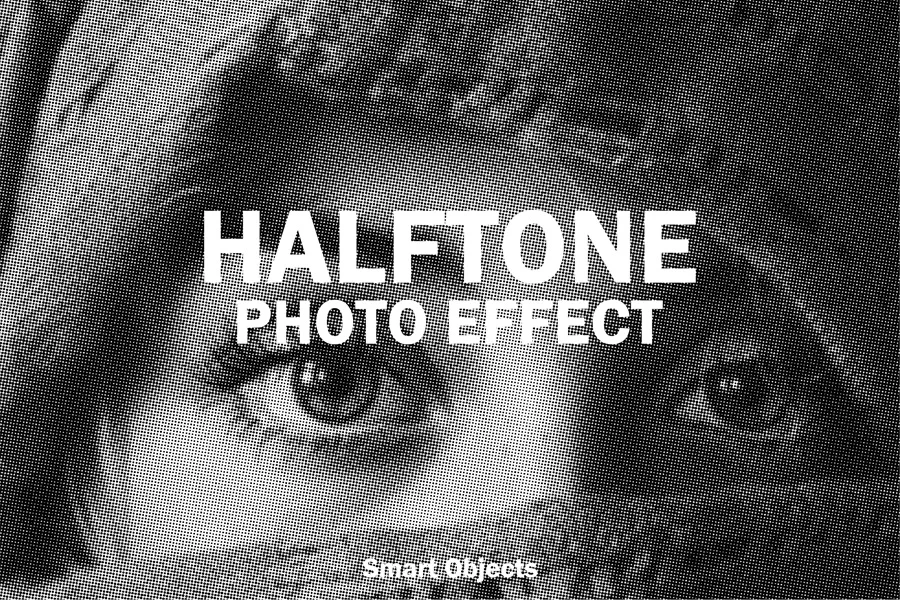
The Halftone Photo Effect converts photographic tones into a field of tiny dots, echoing classic newspaper printing, comic books, and screen-printed posters. It simplifies fine detail while increasing contrast and texture, giving images a bold graphic identity. Use it for retro editorial design, merchandise, flyers, magazine covers, and pop-art compositions. High-contrast photographs work particularly well because the dot pattern can describe light and shadow more clearly.
Download Halftone Photo Effect
Mosaic Photo Effect
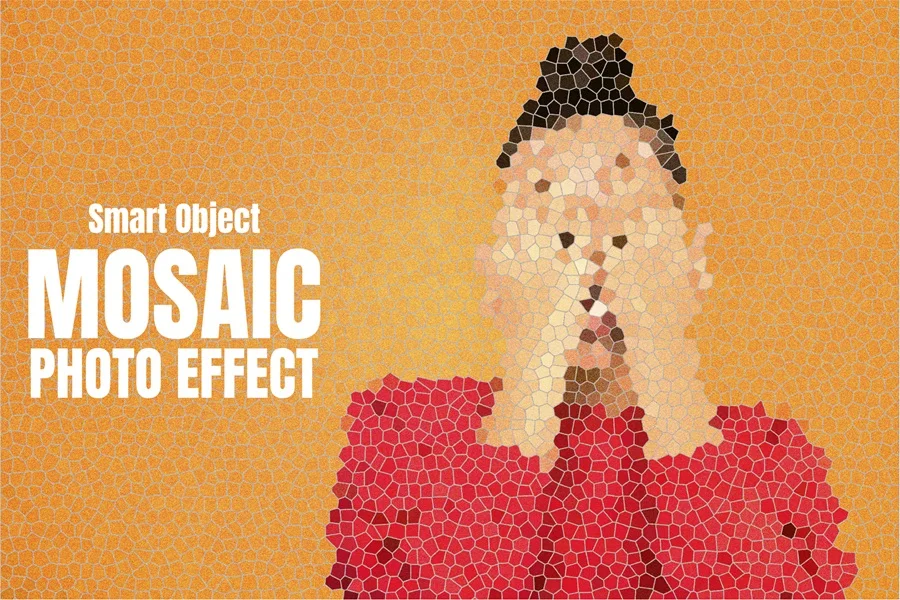
The Mosaic Photo Effect rebuilds a photograph from irregular colored cells, creating the appearance of small pieces of stone, ceramic, or stained glass. The simplified shapes produce a handcrafted decorative quality while retaining the subject’s essential features. It is suitable for portraits, cultural posters, art prints, packaging, and distinctive social media visuals. Images with broad color areas and a clear subject tend to create the cleanest mosaic structure.
Download Mosaic Photo Effect
Old Paper Photo Effect
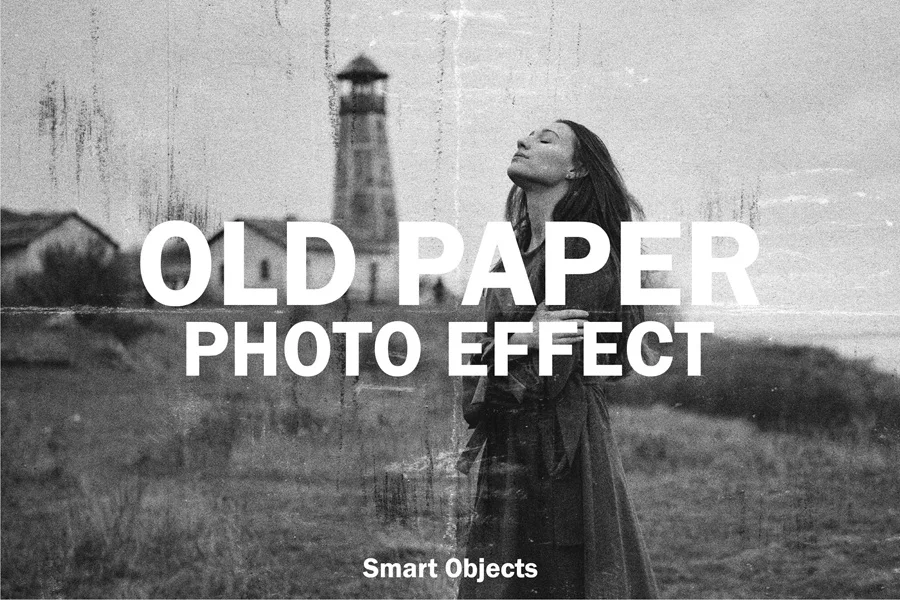
The Old Paper Photo Effect combines faded monochrome tones with scratches, stains, grain, and worn surface marks. It makes a modern photograph look as though it has been stored, handled, and weathered for decades. This nostalgic treatment is effective for historical themes, documentary layouts, book covers, travel stories, heritage branding, and memory-inspired projects. Simple compositions allow the aged texture to support the image instead of overwhelming it.
Download Old Paper Photo Effect
Pixel Photo Effect
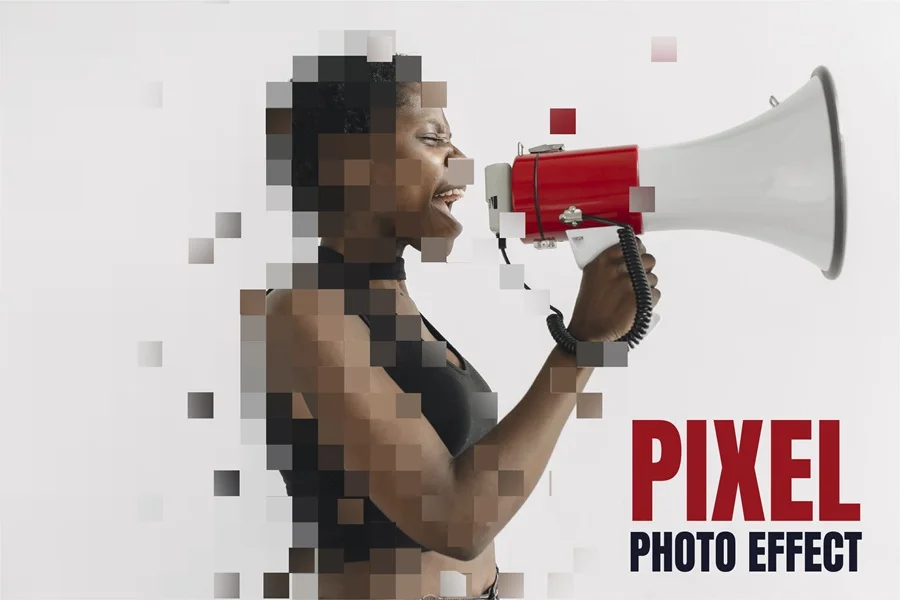
The Pixel Photo Effect breaks selected parts of an image into square blocks that appear to dissolve away from the subject. The combination of recognizable photography and controlled digital fragmentation creates a clear transition between the physical and virtual worlds. It works well for technology campaigns, gaming graphics, innovation presentations, music artwork, and dynamic social posts. Strong color accents can help connect the pixel fragments with the main composition.
Download Pixel Photo Effect
Conclusion
A successful photo effect does more than decorate an image. It establishes a mood, guides attention, and connects the photograph with the purpose of the design. The ten effects in this collection cover a wide range of visual directions: Bad Copy, Old Paper, Engraved, and Halftone bring tactile print character; Blur, Broken Glass, and Glass create atmosphere and depth; Glitch and Pixel introduce digital energy; and Mosaic offers a handcrafted artistic finish.
When choosing an effect, consider the subject, contrast, color palette, and final format. A dramatic treatment can be ideal for a poster or album cover, while a cleaner effect may be more suitable for editorial or commercial design. Test the effect with several photographs, adjust the composition where necessary, and make sure the subject remains readable at the intended display size.
With the right source image and a clear creative goal, these Photoshop photo effects provide a fast and flexible way to build memorable visuals while keeping the editing process consistent.