Articles
Pastel Color Palette Guide: 12 Soft Color Ideas for Designers
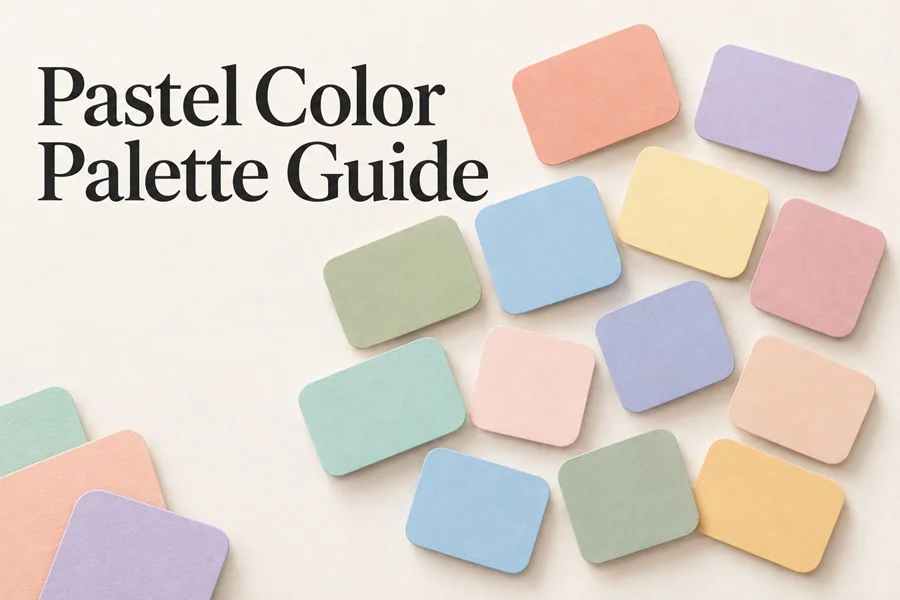
How to choose and use soft colors in websites, packaging, social content, illustrations and icon systems
Pastel color palettes can make a design feel calm, optimistic and contemporary, but they only work when the colors have clear roles. This guide explains how to build usable pastel palettes, keep the contrast readable and turn soft colors into a coherent visual system. It also includes twelve original palettes with HEX codes you can use as a practical starting point.
What makes a color palette pastel
Pastel colors are light, softened versions of stronger hues. They usually have high lightness and moderate or low saturation, which removes the visual aggression of pure red, blue, green or yellow. The result is not simply a washed-out design. A well-built pastel palette still has direction: it uses temperature, contrast and a clear accent color to guide the eye.
The useful distinction is between a pastel background and a complete pastel system. A pale pink background alone is not a palette. A complete system includes a light base, one or two supporting hues, a readable text color and an accent that creates hierarchy. The dark ink color can remain neutral it does not need to be pastel to belong to the composition.
How to build a pastel palette that still works
Start by deciding what the palette should communicate. Warm peach, butter and blush tones often feel inviting and tactile. Sage, sky blue and mint tend to feel fresh and quiet. Lavender, lilac and dusty rose create a more editorial or dreamy direction. Choose one feeling first, then select colors that support it instead of collecting every soft shade you like.
1) Choose one main background color. It should occupy most of the canvas and make content feel spacious rather than decorative.
2) Add one support color for cards, secondary areas, small illustrations or image frames.
3) Keep one accent color for buttons, prices, headings, badges or a focal detail. It may be deeper or slightly more saturated than the rest.
4) Pick a dark ink color for text and icons. Test it on the lightest background before committing to the palette.
5) Use a contrast checker when the palette is used for a website or app. Soft colors often look beautiful while making text hard to read.
A simple 60 30 10 distribution is a helpful starting point: use the main color for roughly 60 percent of the composition, a support color for 30 percent and the accent in the remaining visual moments. The numbers are not a rule. They are a way to stop every color from competing for attention.
12 original pastel color palettes with HEX codes
Use these palettes as starting points, not as locked recipes. The fourth HEX code in each palette is the recommended dark ink for type, outlines or icon details. If a layout needs stronger emphasis, use the ink more often rather than adding another bright color.
| Palette | Color 1 | Color 2 | Color 3 | Ink |
|---|---|---|---|---|
| Peach Milk Warm lifestyle and beauty | #F7D6C4 | #FBEDE3 | #F8C7D8 | #5B4B4E |
| Lavender Field Editorial and creative tools | #DCD2F3 | #C5B6E4 | #F7F2FF | #48415C |
| Soft Sage Natural products and wellness | #CFE4D1 | #E7F3E8 | #F6E7CD | #3E5547 |
| Coastline Travel, interiors and calm UI | #BFDCE5 | #DAEFF2 | #F5E8D7 | #3F5563 |
| Buttercream Food, stationery and playful brands | #F6E6A9 | #FCF4D7 | #F7C7A8 | #5B4A31 |
| Rose Clay Fashion, skincare and portfolios | #EEC3C8 | #F8E7E8 | #D7B3A6 | #59474A |
| Spring Candy Kids, events and cheerful posts | #BFE7D1 | #F9D1E1 | #FDE9A9 | #3E4A43 |
| Blueberry Cream Education, apps and soft tech | #C8D4F0 | #E7EAF8 | #E3C6E8 | #46475A |
| Apricot Pop Cafes, home goods and social | #F7C8A7 | #FDE4D2 | #BFD8C5 | #4E4D42 |
| Mint Soda Health, eco and product labels | #B9E3D4 | #E5F7F1 | #F6D7CB | #3D5550 |
| Lilac Sunset Beauty, art and campaign visuals | #DCC6F5 | #F5D2DC | #FCE6BA | #50445F |
| Cloudy Studio Minimal brands and icon sets | #DCE1E7 | #EFE9E2 | #C7DCCF | #43504A |
Using pastel colors in website design
Pastels work especially well on content-led websites because they can separate sections without making the page feel crowded. Use a very light base as the page background, then switch between two related pastels for product cards, newsletter areas, testimonials or category blocks. This creates structure while keeping the page visually relaxed.
Do not make every interface element pastel. Buttons, navigation labels and important links need enough visual weight to be found quickly. A good approach is to keep the UI mostly neutral, use pastels for large surfaces and reserve the darkest ink for text, icons and primary actions. If the design feels too gentle, add a compact stronger accent such as a berry, forest green or deep blue rather than darkening every color.
Using pastel colors in packaging
On packaging, soft colors can communicate care, comfort and a premium handmade feeling. They are especially effective for skincare, stationery, sweets, candles, baby products and home goods. Let one shade dominate the pack, then use a second tone for patterns, labels or product variants. A dark logo or dark type layer keeps the packaging legible from a distance.
For a range of products, assign one core pastel to each variant while keeping the ink color, typography and layout consistent. This makes the collection recognizable even when the flavors or product names change. For example, a candle line could use peach, sage, lavender and blue as variant colors while preserving one cream base and the same charcoal logo.
Using pastel colors in social media
Pastel palettes are useful for social media because they can create a recognizable feed without repeating the same layout. Build a small system: one background color for educational posts, one for product or promotional posts and one for quotes or behind-the-scenes content. Use the same ink color and a small set of graphic shapes across every post to keep the series connected.
Avoid pale type on pale backgrounds. A soft design still needs a clear reading order on a small screen. Use a dark headline, generous spacing and one accent color for the point you want viewers to notice first. If photography is included, choose a color from the image as a bridge to the palette rather than laying a large pastel block over the entire photo.
Using pastel colors in illustrations and icons
Pastels are a natural fit for vector illustrations because large flat areas can look expressive without heavy gradients or texture. Choose one color as the illustration background, one for the main objects and one for small accents. Then use the dark ink only where it adds clarity: facial features, small outlines, interface details or labels.
For SVG icon sets, keep the system even simpler. Use one primary pastel fill, one secondary color and a consistent dark stroke or outline. An icon set becomes harder to use when every icon introduces a new shade. Limiting the palette improves consistency and helps the icons work on more backgrounds. For visual assets that need a more tactile finish, a subtle paper, grain or soft halftone texture can add depth without breaking the calm palette.
Common pastel palette mistakes
1) Using five equally pale colors with no dark text or accent. The layout becomes pleasant but has no hierarchy.
2) Treating pastel as a genre instead of a role. A pastel palette can be playful, elegant, modern, minimal or nostalgic depending on typography and composition.
3) Adding too many colors. Three soft colors plus one dark ink are often enough for a complete design system.
4) Ignoring contrast. Text, buttons and controls should remain easy to identify even on a bright display or in sunlight.
5) Relying on color alone to communicate meaning. Use labels, icons, vector isolated objects or placement as well, especially in interfaces and infographics.
A practical workflow for your next project
Choose the mood, select a light base, add two related hues and then choose a dark ink. Create one small test layout before designing everything: a heading, body copy, a button, an icon and an image or illustration block. If the test reads clearly, the palette is ready to scale into a website section, product label or social template. If it does not, adjust the ink or accent first instead of replacing the entire palette.
Once the system is working, save the HEX codes as color styles in your design tool. This prevents almost-matching pastel shades from appearing later in the project. The most polished pastel designs feel intentional because the same colors repeat in predictable roles.
Bring pastel ideas into a full design system
A color palette is most useful when it supports the assets around it. Pair these palettes with coordinated vector illustrations, clean SVG icons, subtle backgrounds and editable design elements so the color direction continues through every part of the project. Explore more design-ready assets at VectorElements to build a cohesive visual language from a single starting palette.